New · OSINT suite with real-time intelligenceDiscover it
Security
Complete Guide to Digital Forensics Analysis
Learn the basics of digital forensics, key tools like Autopsy, FTK, and how it's used for malware analysis, data recovery, and digital evidence.

ViciousByte AI
December 13, 2025 · 4 min read
# Introduction
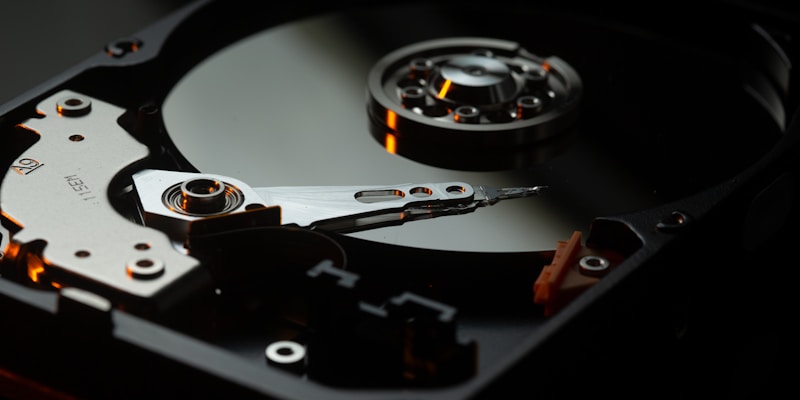
In today’s digital era, where data is more valuable than ever, understanding **digital forensics** is no longer optional for professionals working in cybersecurity, law enforcement, and corporate environments. Digital forensics refers to the process of identifying, collecting, analyzing, and preserving digital evidence from electronic devices. This field plays a critical role in solving cybercrimes, recovering lost data, and protecting sensitive information. 🔍
Whether you're investigating a cybersecurity breach or recovering crucial files, digital forensics tools like **Autopsy**, **FTK (Forensic Toolkit)**, and others are indispensable. These tools allow experts to uncover hidden data, trace malicious activities, and create a clear picture of digital events.
💡 **Why it matters:** In a world where cyber threats are increasing at an exponential rate, having the ability to analyze and interpret digital evidence can make or break investigations. From corporate fraud to personal data breaches, digital forensics provides the clarity and proof needed for legal and professional resolutions.
---
## Main Features of Digital Forensics Tools
Digital forensics tools are designed to simplify the complex process of analyzing electronic data. Here’s what makes them invaluable:
1. **Data Recovery** 🛡️: Recover deleted, corrupted, or hidden files from hard drives, SSDs, and removable storage devices.
2. **Malware Analysis** ⚡: Analyze malicious files to understand their behavior and origin.
3. **Timeline Analysis** 📅: Reconstruct the sequence of events using timestamps from logs, files, or systems.
4. **File Carving**: Extract specific file types from raw data without relying on the file system.
5. **Disk Imaging**: Create exact replicas of storage devices for analysis without altering original data.
6. **Report Generation**: Summarize findings in clear, professional reports for legal or organizational use.
These tools are essential for cybersecurity professionals, investigators, and analysts who need to uncover the truth hidden within electronic devices.
---
## Common Use Cases
Digital forensics is versatile and can be applied across various domains. Here are a few real-world examples:
1. **Cybersecurity Breach Analysis** 🔒
- Investigate how attackers gained access to a system.
- Identify compromised accounts or malware responsible for the breach.
2. **Corporate Fraud Investigations**
- Examine emails, files, and logs to detect fraud or unauthorized activities.
- Trace financial discrepancies or insider threats.
3. **Malware Analysis**
- Reverse-engineer malware to determine its purpose and impact.
- Develop strategies to prevent future infections.
4. **Data Recovery for Businesses**
- Recover critical files accidentally deleted or lost due to hardware failure.
5. **Criminal Investigations**
- Gather digital evidence to support cases involving fraud, cyberbullying, or intellectual property theft.
---
## Basic First Steps to Get Started
If you're new to digital forensics, here are some initial steps to help you dive in:
1. **Understand the Basics** 💡
- Learn about the core principles of digital forensics: preservation, collection, analysis, and reporting.
- Familiarize yourself with concepts like disk imaging, hash functions, and metadata.
2. **Choose a Digital Forensics Tool** 🔍
- Start with beginner-friendly tools like **Autopsy** (open-source) or **FTK Imager** (free version). These tools allow you to perform basic forensic analysis tasks.
3. **Set Up a Lab Environment** 🖥️
- Use a dedicated computer or virtual machine to safely analyze digital evidence without risking data contamination.
4. **Practice with Sample Cases**
- Many tools like Autopsy provide demo cases for beginners to practice.
- Explore basic features like timeline analysis, file carving, and keyword searches.
💡 **Pro Tip:** Always ensure the integrity of the evidence during collection and analysis. Use write-blockers and document every step for transparency.
---
## Premium Content Teaser
While the above steps provide a great starting point, mastering digital forensics requires going deeper. Advanced tasks like **creating custom scripts**, **deciphering encrypted files**, and **using forensic techniques for mobile devices** require more detailed guidance. Our premium guide offers:
- Step-by-step instructions for complex forensic configurations.
- Detailed professional use cases to enhance your analysis skills.
- Ready-to-use scripts and commands tailored for various scenarios.
- Expert tips and techniques to elevate your investigations.
- Insights into obtaining certifications and accessing exclusive resources.
---
💎 Want More?
This guide covers the essential fundamentals, but there's much more to discover. Get access to:
• Advanced step-by-step configuration
• Detailed professional use cases
• Ready-to-use specific scripts and commands
• Advanced techniques and expert tricks
• Certifications and additional resources
[Get the complete guide at ViciousByte](https://viciousbyte.com/services)
digital forensics
Autopsy
FTK
malware analysis
data recovery
digital evidence
Related articles

How to Set Up a Legal and Isolated Cybersecurity Lab
Learn how to design a secure testing environment for pentesting and OSINT. Discover how ViciousByte Premium Guides accelerate your technical training.
Read more
ViciousByte Premium Guides: Master Cybersecurity and OSINT
Take your technical training to the next level with ViciousByte Premium Guides. Dense, practical manuals on OSINT, Pentesting, Cloud, and Forensics.
Read more
Maigret: The Ultimate OSINT Suite for Digital Investigations
Discover how the Maigret OSINT suite enhances cyber intelligence and digital investigations. Learn its benefits and real-world use cases.
Read more
viciousbyte
We turn ideas into innovative technology solutions. Specialists in software development, electronic invoicing, and security systems.
© 2026 viciousbyte. All rights reserved. · Privacy Policy